Change your password (for Bookkeepers)
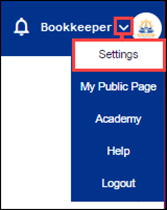
1. In the top-right corner, hover over the down arrow, then click Settings.
2. Enter your old and new passwords, then re-enter your new password.
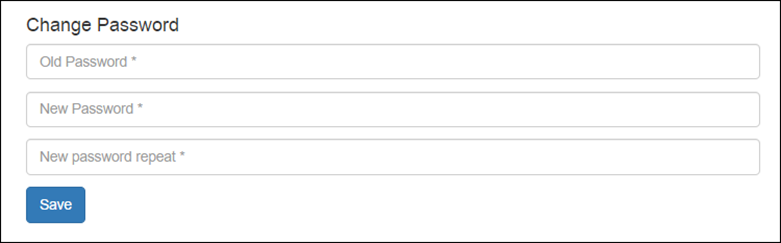
3. Click Save.
For additional help, contact techsupport@follettsoftware.com.